0 · Setup
Build the engine and the project
Section titled “Build the engine and the project”The workshop project lives in the EventConductor repository and builds against the engine from source:
git clone https://github.com/miguelperezcolom/eventconductor.gitcd eventconductormvn -B install -DskipTests -Djacoco.skip=true      # installs the engine into ~/.m2 (a few minutes)
cd examples/workshop-hotel-bookingmvn verify # validates the definitions and runs the testsRun it
Section titled “Run it”mvn spring-boot:runWhen the log says Started HotelBookingApplication, open http://localhost:8095.
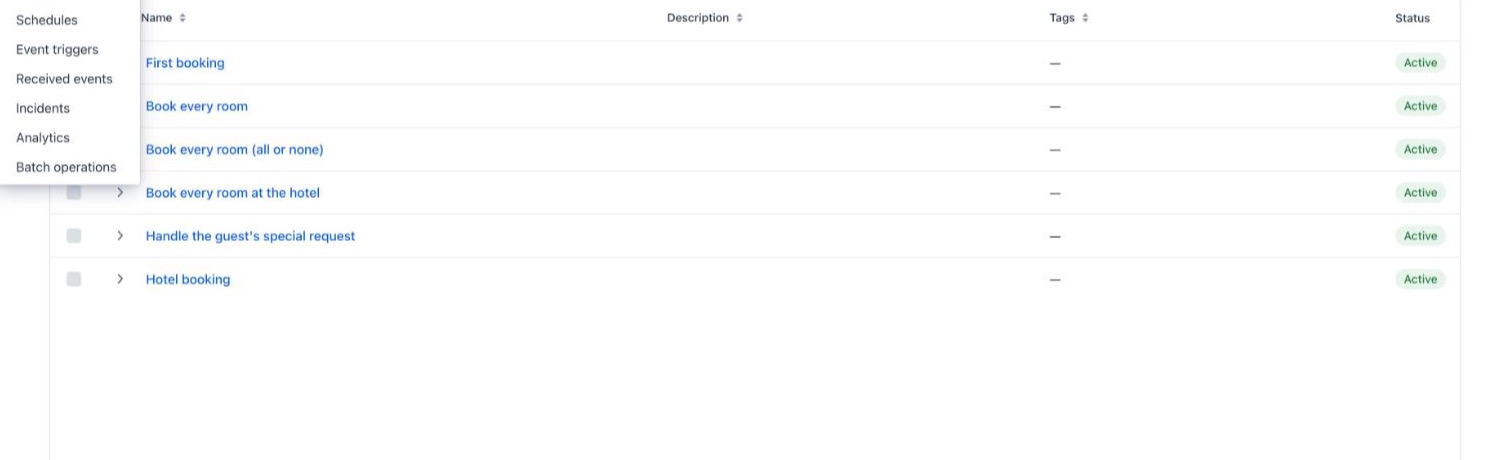
The console lists the six workflow definitions of the workshop. The Workflow menu leads to everything you will use: Processes (the runs), Steps, Tasks, Incidents, Batch operations and more.
What is running
Section titled “What is running”One Spring Boot application holds all of it — the point of this setup is that there is nothing else to install:
@WorkflowEmbeddedApplication // the engine, embedded in this app@EnableWorkflowUi // its console@EnableJpaRepositories(basePackages = "io.mateu.workflow.infra.out.persistence")@AutoConfigurationPackage(basePackages = "io.mateu.workflow.infra.out.persistence")public class HotelBookingApplication { public static void main(String[] args) { SpringApplication.run(HotelBookingApplication.class, args); }}The essential configuration, from application.properties:
workflow.mode=embedded              # the engine runs inside this applicationworkflow.persistence=jpa            # the console reads the engine's tables…spring.datasource.url=jdbc:h2:mem:hotel;DB_CLOSE_DELAY=-1   # …kept in an in-memory H2
# Workshop only: no login. Since 2.27/2.28 the REST API, the console and MCP refuse anonymous# callers; this lets a laptop use them. NEVER in anything reachable from a network.workflow.message-api.allow-anonymous=true
The data lives in memory: every restart starts clean. In production, the same engine runs on PostgreSQL, and — when one node is not enough — distributed over Kafka, with the same definitions: see Deployment Modes.