7 · Operating
A process in production is not finished when it is written: somebody asks where a booking is, a hotel outage fails forty bookings overnight, a guest changes their mind by phone. The engine gives operations its tools from day one.
Find a booking
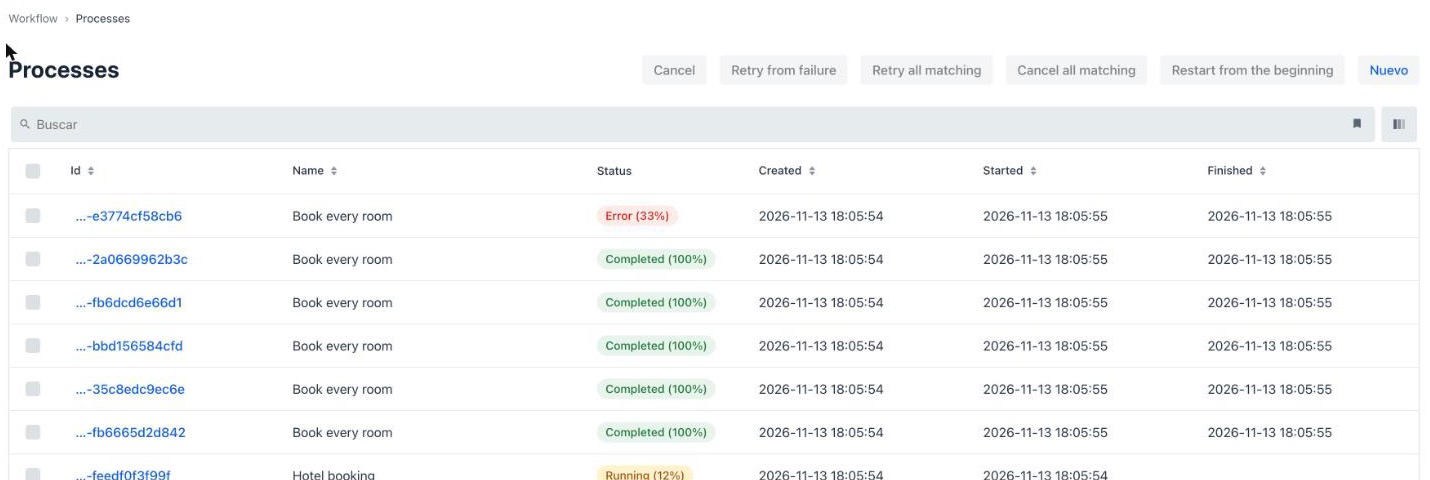
Section titled “Find a booking”Workflow → Processes lists every run — yours and their forEach children — with status and progress:
Type a business key in the search box to find one booking:
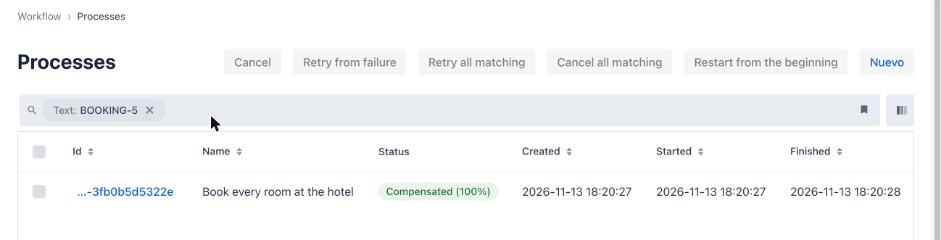
Over the API: GET /workflow/api/processes?… (see the Processes REST API), and from MCP, findProcessByBusinessKey. For searches on your own data — every booking of guest X, bookings above 1,000 € — declare search attributes.
Repair one run
Section titled “Repair one run”A run’s page has the operator’s actions, each audited with who did it and a mandatory reason:
| Action | When |
|---|---|
| Retry from failure | The cause is gone (the hotel is back): run the failed steps again, keep the ones that succeeded |
| Retry from step | Run again from a chosen step and everything that depends on it |
| Complete step | The work was done another way (the guest paid by phone): mark the step done, with its output variables — the console’s way to decide the approval of module 6 without the form |
| Set variables | Correct the data the next steps will use (a wrong room number) |
| Migrate… | Move the run onto a newer version of the definition — see module 10 |
| Pause / Cancel | Hold it, or stop it. Cancelling never rolls back |
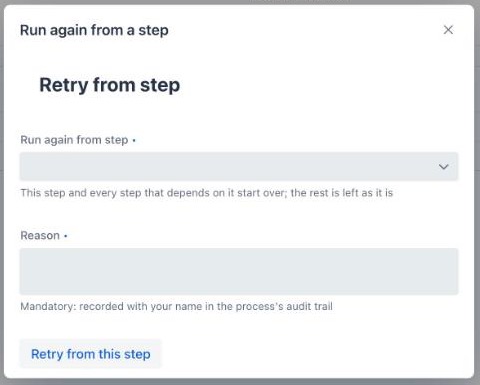
The same are REST calls (POST /workflow/api/processes/{id}/retry, …/steps/{stepExecutionId}/complete, …) — see Operating running processes.
Repair many runs at once
Section titled “Repair many runs at once”The process list’s Retry all matching and Cancel all matching act on every run the current search matches, as a batch operation: it runs in the background, reports progress, skips what does not apply and says why. Last night’s forty failed bookings are one action. See Batch operations.
Ask an assistant
Section titled “Ask an assistant”Every operation above is also an MCP tool, so an AI assistant can operate the engine in natural language. The workshop app serves MCP at http://localhost:8095/sse; in Claude Desktop’s claude_desktop_config.json:
{ "mcpServers": { "hotel-workshop": { "url": "http://localhost:8095/sse", "type": "sse" } }}Then ask, for example:
- “What happened to booking BOOKING-5?” —
findProcessByBusinessKey,getProcessDetails,getProcessLogs - “Which bookings failed today, and why?” —
listProcesseswithstatus: ERROR - “Retry every failed hotel booking from the hotel call.” —
createBatchOperation
- You can find BOOKING-5 by its business key.
- You know which action you would use if the hotel had been down for an hour (Retry from failure, or Retry all matching for all of them).